


问题标题
VTable有滚动情况下底部和右侧边框不显示怎么办?
问题描述
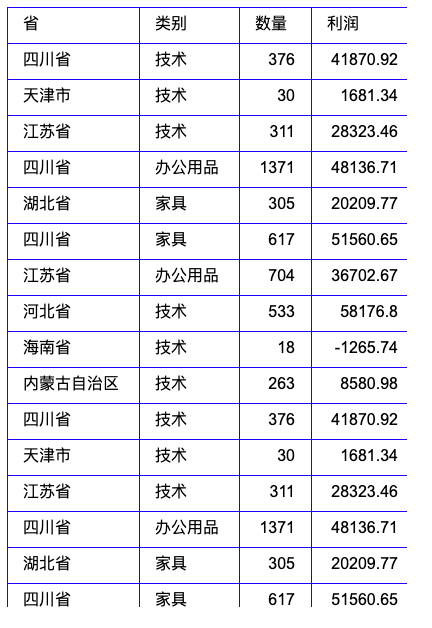
如截图效果,VTable中表格内容显示不完整(有滚动条的情况下),如何能让表格中的右侧边框和底部边框都显示?
解决方案
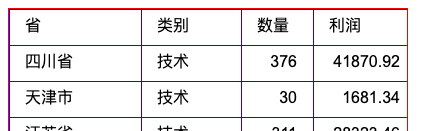
可通过在theme主题中的frameStyle添加borderLineWidth和borderColor配置**,不过添加上述配置后,表格顶部和左侧的边框和单元格的边框会有两层边框 效果也不好。**
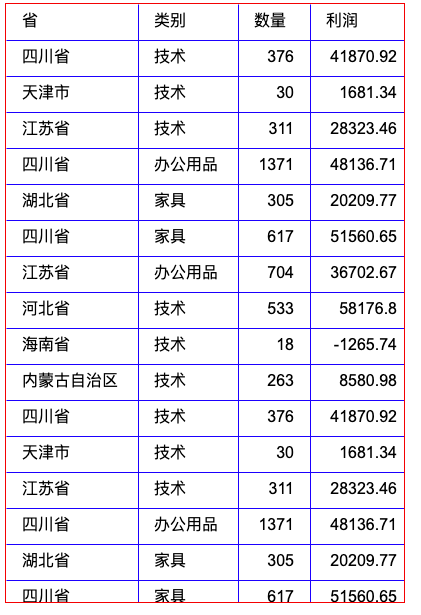
进一步研究配置,发现了cellInnerBorder配置项,专门为了处理这种情况的配置,将其设置为false,则边缘的单元格的边框线将不再绘制。
用到的配置项定义如下:
/** frameStyle 是配置表格整体的样式 */
frameStyle ?:FrameStyle;
/** 单元格是否绘制内边框,如果为true,边界单元格靠近边界的边框会被隐藏 */
cellInnerBoder?:boolean;  // true | false</br>
代码示例
  const option = {
    records,
    columns,
    autoWrapText: true,
    limitMaxAutoWidth: 600,
    heightMode: 'autoHeight',
    theme:{
      frameStyle:{ // 配置的表格整体的边框
         borderLineWidth: 1, //  设置边框宽度
         borderColor: "#CBCBCB" //  设置边框颜色
      },
      cellInnerBorder:true  // 单元格是否绘制内边框,可结合情况设置true或false
    }
  };
  const tableInstance = new VTable.ListTable(container, option);</br>
结果展示
在线效果参考:https://codesandbox.io/p/sandbox/vtable-frame-border-demo-forked-zn4n9j
相关文档
设置表格边框demo:https://codesandbox.io/p/sandbox/vtable-frame-border-demo-forked-zn4n9j
相关api:https://www.visactor.io/vtable/option/ListTable#theme.cellInnerBorder
https://www.visactor.io/vtable/option/ListTable#theme.frameStyle.borderLineWidth
https://www.visactor.io/vtable/option/ListTable#theme.frameStyle.borderColor
github:https://github.com/VisActor/VTable